Documentation
- Getting Started
- Deployment and First Run Configuration

- Data Privacy and Routing
- Administration
- Enterprise Search Connectors
- AI and Query Pipelines
- Search Engines
- UI, MCP, Agents and Bot Integrations
- Backup and Restore Concept
- Software Updates and Upgrade
- Releases and Release Notes
- Developer Resources
Microsoft SQL
Prerequisites
The framework supports SQL Server authentication. Please make sure to provide a local user with username and password.
In order to use SQL Server, please make sure in the SQL Server Configuration that connections with TCP/IP are active.
Suite Configuration
The Microsoft SQL configuration dialog offers the following options
Username: is used for authenticating against the database.
The given user must be allowed to create, delete, alter tables and indexes. And it must be allowed to create, update and delete records in the given database.Also this user must be created through SQL Server Authentication. Mixed mode and Windows authentication is not supported as of now.
Password: is the according password.
URL: this is the connection string to the database, which is <FQDN of the instance>:<port>
Name of the database: is the according database
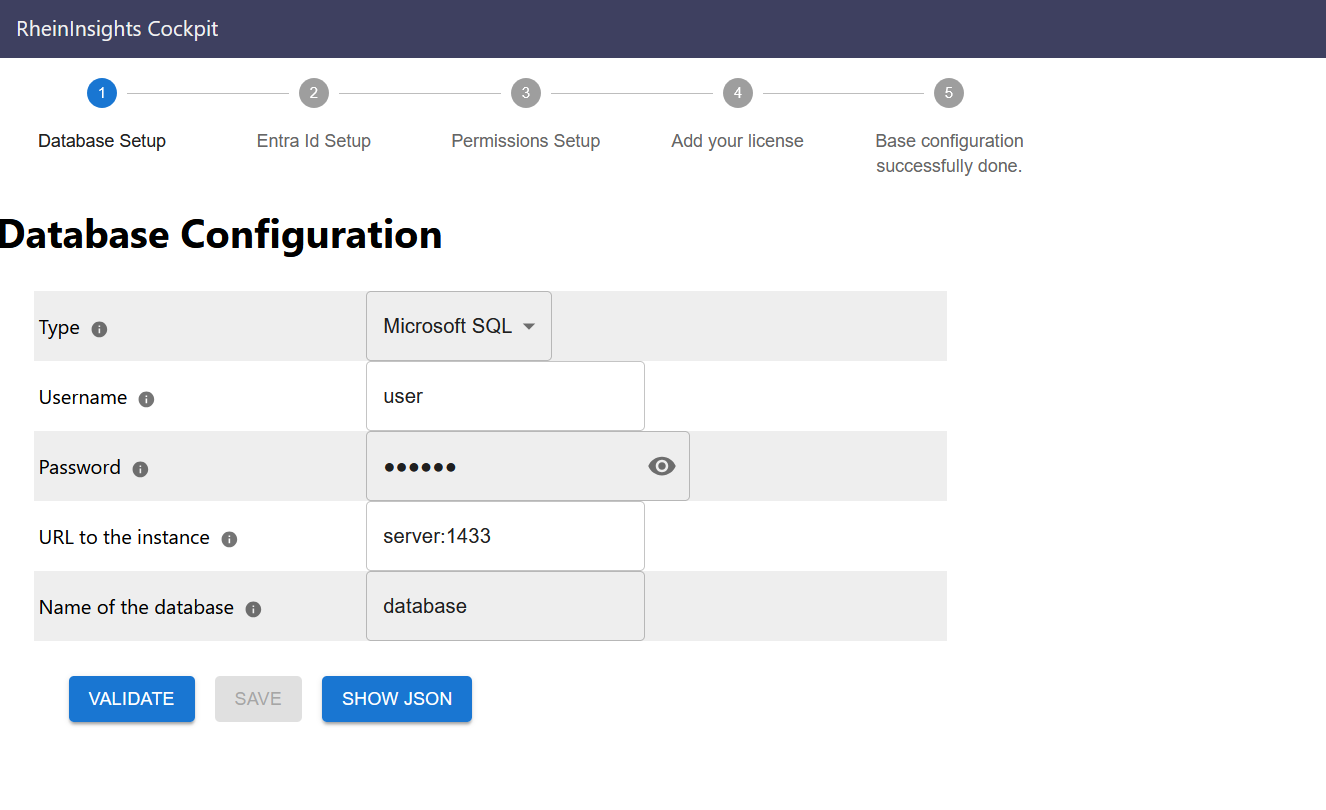
Click on validate.
If there are any issues, then please solve them by editing the values. In any case, you can also double check the logs at /logs-Click on save to store the configuration (and to move on to the next screen Authentication Provider