Documentation

Version 1.23 Upgrade Steps
Query Pipeline Access
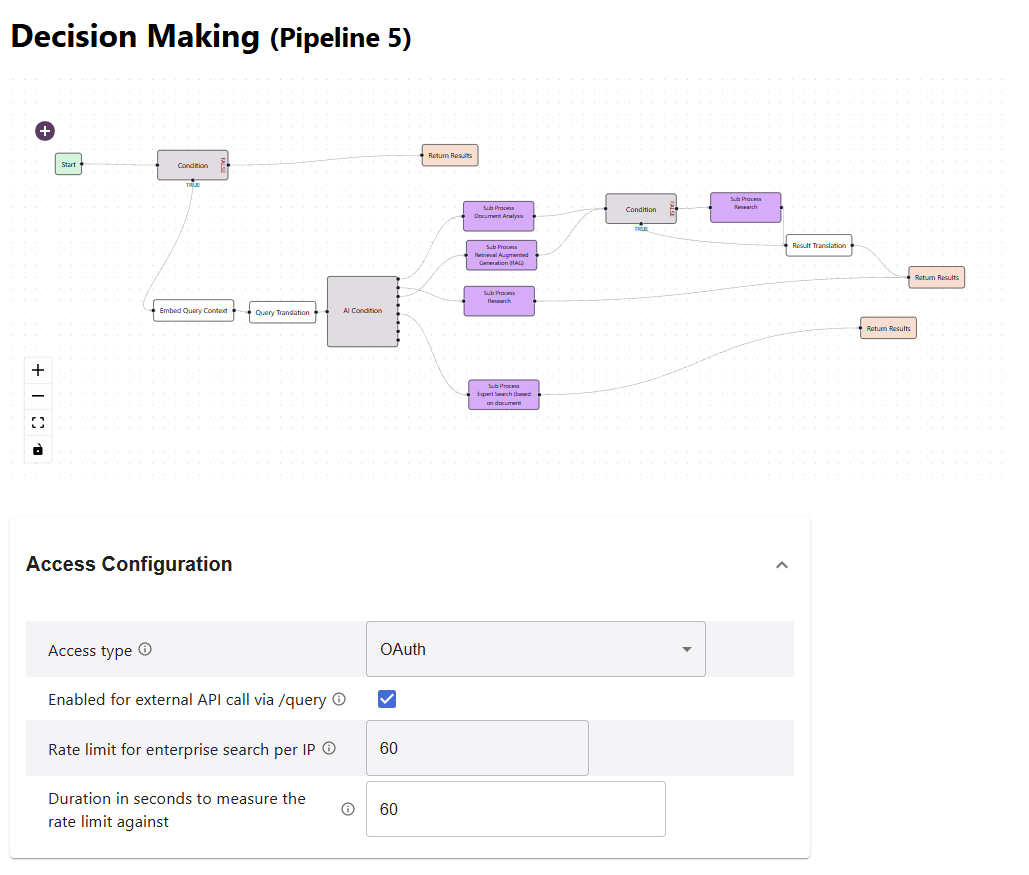
As described in the release notes, pipelines with API access tokens or OAuth authentication do not allow for public search access without API token anymore.
In turn the API endpoint api/v1/websiteSearch is only available in the following scenario
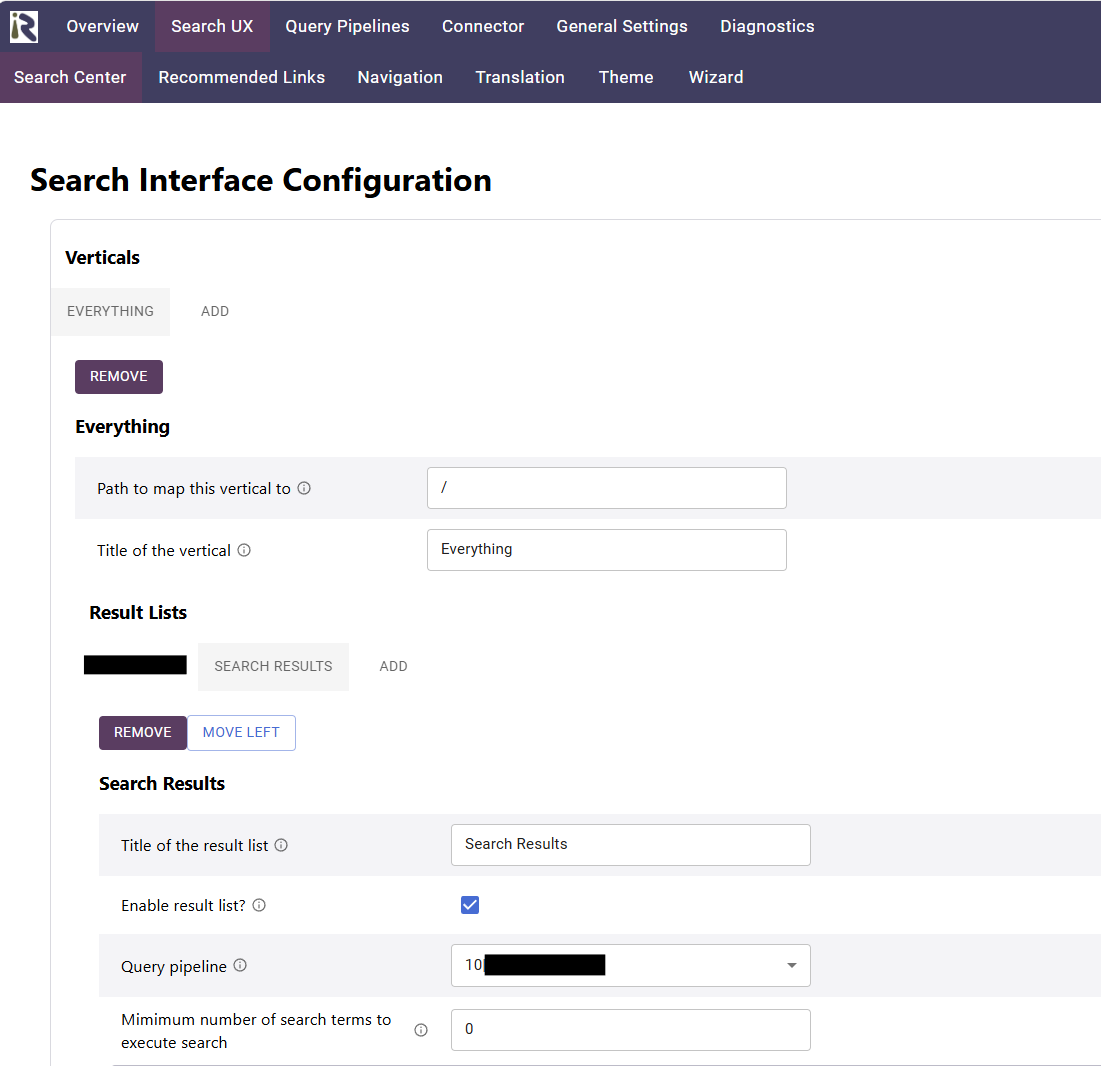
The search interface references one or multiple query pipelines
The access configuration of each query pipeline must be set to “Public Search”
Example
This means that access to
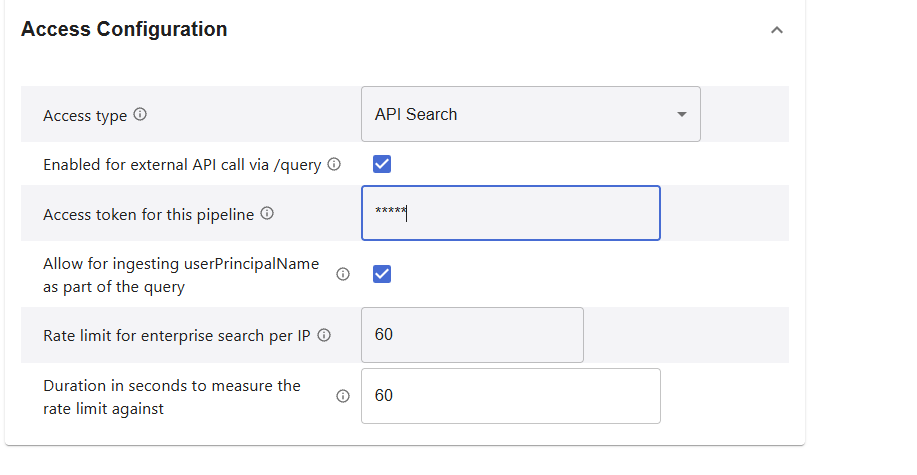
will not work anymore, resulting in
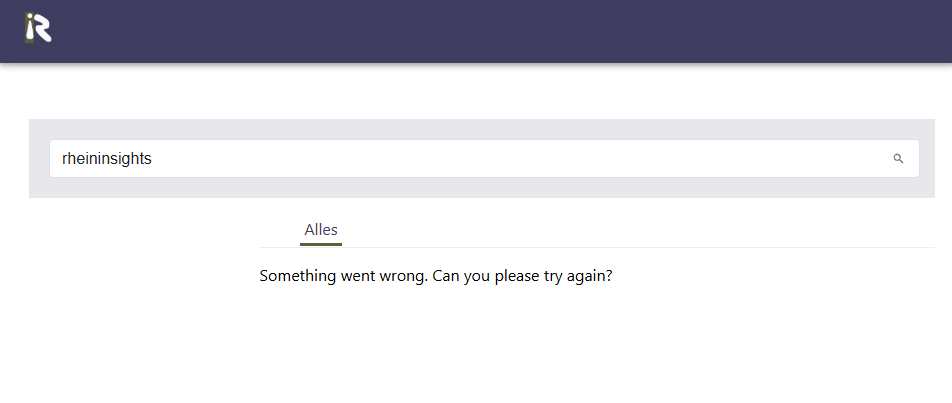
For existing installations this means that the website search experience (without OAuth) might not work after the upgrade. In such a case do the following:
reconfigure the existing pipeline and set access type: “Public Search”
If you need to keep the existing pipeline for API access, for instance for Open WebUI, do the following:
Create a new query pipeline.
Configure one “Sub Process” stage which references the existing API access-pipeline.
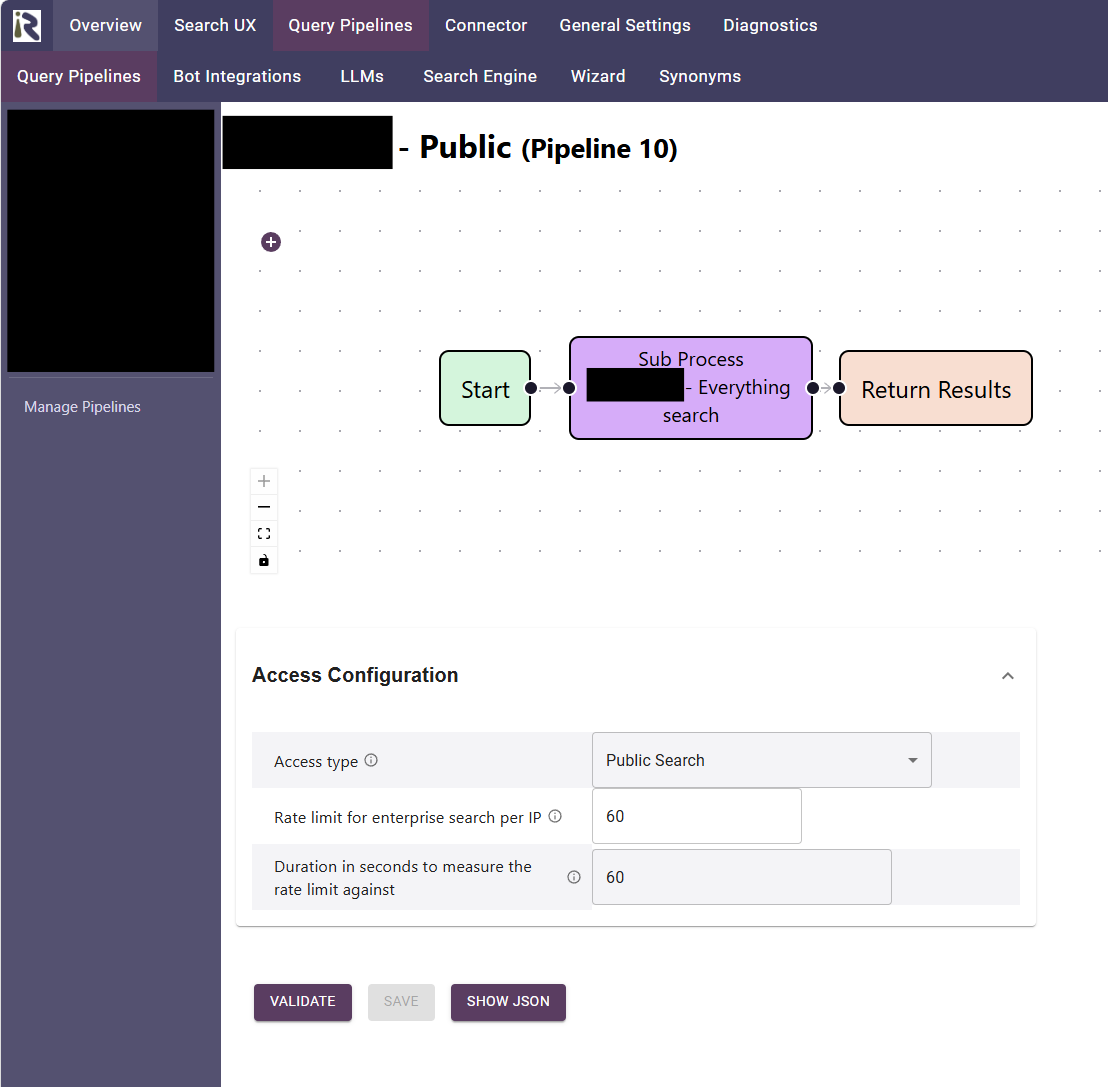
Set access type to Public Search
Configure this pipeline as part of you search experience
Theme Changes to use Conversational Result List
In order to use the new conversation result type, you need to do the following:
Add the following to the theme:
{

  "resultLists":{
      ...,
      "conversation":{
         "headerActions":{
            "display":"flex",
            "alignItems":"center",
            "gap":"4px"
         },
         "restartButton":{
            "color":"text.secondary",
            "textTransform":"none"
         },
         "progress":{
            "color":"text.secondary",
            "fontSize":"0.85em",
            "fontStyle":"italic",
            "paddingLeft":"2.25em"
         },
         "collapsedContainer":{
            "position":"relative"
         },
         "answerClamp":{
            "display":"-webkit-box",
            "WebkitLineClamp":10,
            "WebkitBoxOrient":"vertical",
            "overflow":"hidden"
         },
         "answerFade":{
            "position":"absolute",
            "left":0,
            "right":0,
            "bottom":0,
            "height":"4em",
            "pointerEvents":"none",
            "background":"linear-gradient(rgba(232,232,236,0), #e8e8ec)"
         },
         "expandBar":{
            "display":"flex",
            "justifyContent":"center",
            "paddingTop":"0.5em"
         },
         "expandButton":{
            "width":"100%",
            "borderRadius":"999px",
            "textTransform":"none",
            "backgroundColor":"background.default"
         },
         "expandedContainer":{
            "display":"flex",
            "flexDirection":"column",
            "width":"100%",
            "boxSizing":"border-box"
         },
         "header":{
            "display":"flex",
            "alignItems":"center",
            "justifyContent":"space-between",
            "flexShrink":0
         },
         "label":{
            "fontWeight":600
         },
         "closeButton":{
            "color":"text.secondary"
         },
         "title":{
            "fontSize":"1.4em",
            "fontWeight":700,
            "margin":"0.25em 0 0.75em 0"
         },
         "answerSection":{
            "flexShrink":0
         },
         "divider":{
            "borderTop":"1px solid",
            "borderColor":"divider",
            "margin":"1em 0"
         },
         "messageList":{
            "display":"flex",
            "flexDirection":"column",
            "gap":"0.75em",
            "paddingRight":"0.5em"
         },
         "messageRow":{
            "display":"flex",
            "alignItems":"flex-start",
            "gap":"0.5em",
            "maxWidth":"80%"
         },
         "messageRowUser":{
            "display":"flex",
            "alignItems":"flex-start",
            "gap":"0.5em",
            "maxWidth":"80%",
            "alignSelf":"flex-end",
            "flexDirection":"row-reverse"
         },
         "avatar":{
            "flexShrink":0,
            "width":"1.75em",
            "height":"1.75em",
            "borderRadius":"50%",
            "border":"1px solid",
            "borderColor":"primary.main",
            "color":"primary.main",
            "display":"flex",
            "alignItems":"center",
            "justifyContent":"center",
            "fontSize":"0.85em"
         },
         "messageTime":{
            "flexShrink":0,
            "color":"text.secondary",
            "fontSize":"0.8em",
            "paddingTop":"0.4em"
         },
         "aiMessage":{
            "backgroundColor":"action.hover",
            "borderRadius":"0.75em",
            "padding":"0.6em 0.9em"
         },
         "userMessage":{
            "backgroundColor":"action.selected",
            "borderRadius":"0.75em",
            "padding":"0.6em 0.9em",
            "whiteSpace":"pre-wrap"
         },
         "inputContainer":{
            "flexShrink":0,
            "paddingTop":"0.75em"
         },
         "input":{
            "display":"flex",
            "alignItems":"flex-end",
            "gap":"0.25em",
            "border":"1px solid",
            "borderColor":"divider",
            "borderRadius":"0.75em",
            "backgroundColor":"background.default",
            "padding":"0.35em 0.35em 0.35em 0.9em"
         },
         "sendButton":{
            "color":"primary.main"
         },
         "disclaimer":{
            "color":"text.secondary",
            "fontSize":"0.75em",
            "paddingTop":"0.4em"
         }
      }
   }
}
The query pipeline which serves the conversation result list must be API enabled. See the following screenshot: